Customer service software that scales with your business
HubSpot Service Hub gives your team the tools to deliver fast, personalized support across every channel - while driving customer retention and growth. All powered by AI. All connected to your CRM.
More tickets. More channels. Less time to actually help customers.
If you're running or working in a growing B2B company, you've probably experienced some version of this reality:
Email. Chat. Phone. Social media. Customers reach out from everywhere, and your team is scrambling to keep up. Tickets pile up. Response times slip. Your best people spend their days firefighting instead of solving real problems.
And when things get busy, the customers who need help most wait the longest.
"I already explained this to someone last week." Every support interaction starts from scratch. Your agents don't know what sales promised or what issues the customer had before. Customers feel like a number, not a relationship.
Without context, every conversation is harder than it needs to be.
You find out customers are unhappy when they complain - or worse, when they leave. There's no early warning system. No way to spot at-risk accounts before they churn. Customer success is just a title, not a function.
By the time you know there's a problem, it's often too late to fix it.
The Underlying Problem
These aren't separate problems - they're symptoms of the same root cause: support systems that don't share context and processes that treat every ticket like a brand new customer.
Most growing companies try to solve these symptoms one at a time. A ticketing tool here. A knowledge base there. A shared inbox for urgent issues. Each tool solves its specific problem but creates a new one: now your support team works across five different systems, customer history lives in silos, and every interaction starts with "Can you give me your account number?"
The more tools you add, the more time agents spend searching for context instead of actually helping customers.
A customer emails about a billing issue. The support rep opens the ticket - but the billing history is in a different system. They check the CRM to see when the customer signed up. Then Slack the sales rep who closed the deal to ask about the original terms.
Twenty minutes later, they have enough context to respond. But the customer already called the support line. A different rep picks up - and asks them to explain the whole issue again from scratch.
The customer sighs. They've been a customer for three years and spent €50,000 with you. But right now, they feel like a stranger.
By the time the issue is resolved, they've already started researching alternatives. Not because the problem was hard to fix - but because being your customer felt harder than it should.

Your support team doesn't need more channels or more tickets. They need one platform that makes every customer interaction faster, smarter, and more personal.
HubSpot Service Hub: Customer service built for growth
Service Hub isn't just a ticketing system. It's an AI-powered customer service platform that helps you scale support without scaling headcount. Resolve issues faster, empower customers to help themselves, and turn satisfied customers into growth drivers.
One help desk. Every channel. Full customer context on every interaction.
What makes Service Hub different
AI That Handles the Routine
Breeze Customer Agent resolves common questions automatically, 24/7. Your human agents focus on complex issues that actually need their expertise - not password resets and order status checks.
Complete Customer Context
Every interaction is connected to the full customer record - previous tickets, sales conversations, marketing touchpoints, deal history. Agents see the complete picture before they say hello.
Omnichannel Without the Chaos
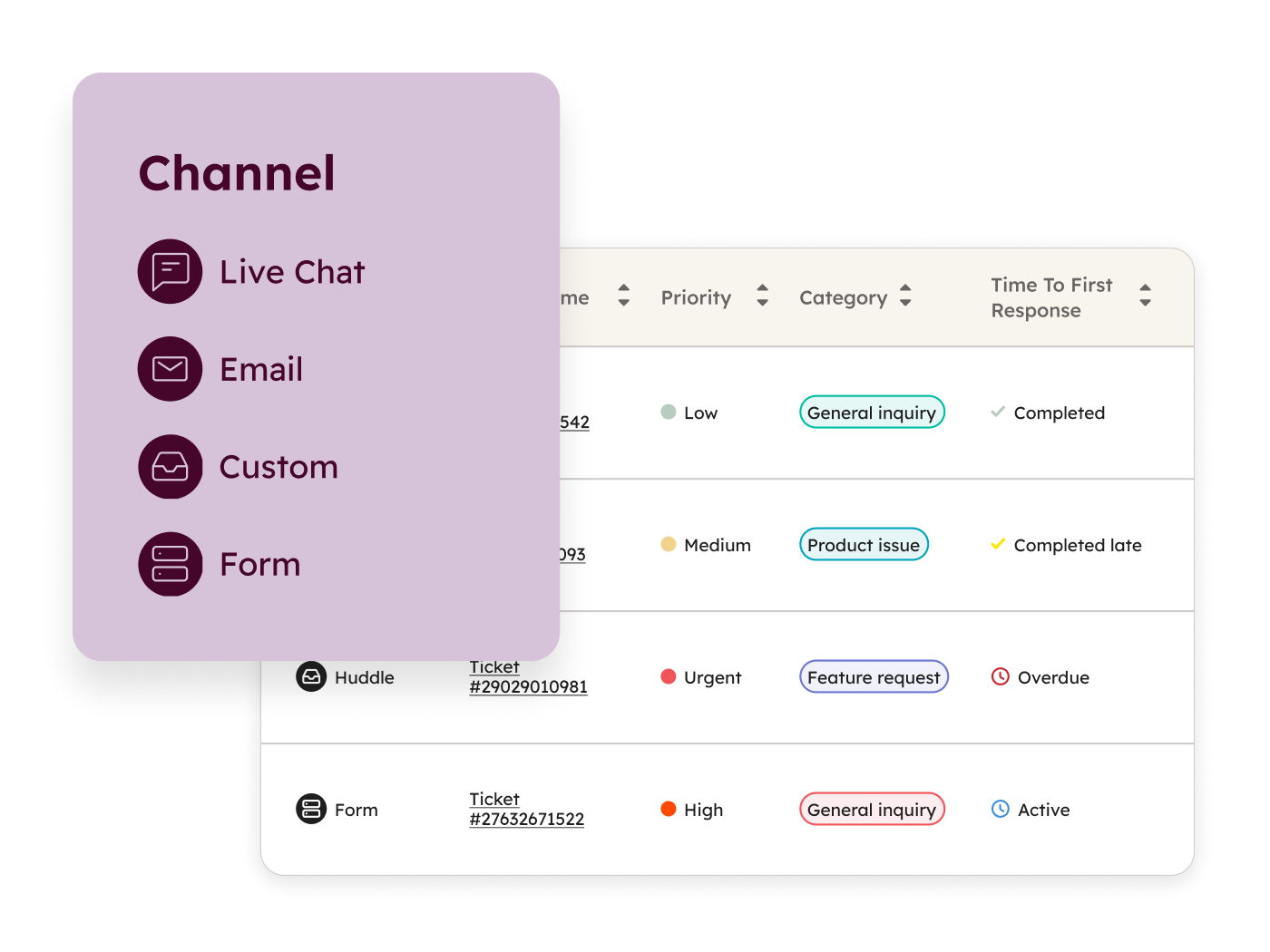
Email, chat, phone, WhatsApp, Facebook Messenger - all flowing into one help desk. Agents work from a single inbox. Customers get consistent experiences no matter how they reach out.
Proactive Retention, Not Just Reactive Support
Customer health scores, feedback surveys, and success workspaces help you identify at-risk customers before they churn - and turn happy customers into advocates.
What Service Hub does (and why it matters)
Manage support at scale without losing the personal touch
Organize, prioritize, and resolve customer issues from one unified workspace. Automate the routine so your team can focus on what matters.
Help Desk Workspace
A unified workspace where agents see all their tickets, conversations, and tasks in one view. No more switching between tabs or missing messages. AI-powered routing sends tickets to the right agent automatically. Custom views let agents focus on what matters most.
- Unified inbox for all channels (email, chat, phone, social)
- AI-powered ticket routing based on skills, availability, or rules
- Custom views and filters for different workflows
- Agent collision detection (see when others are working on the same ticket)
- SLA tracking with automatic prioritization
Ticketing & Pipelines
Log customer issues as tickets, assign them to team members, and track progress through customizable pipelines. Multiple pipelines for different teams, regions, or issue types. Required fields ensure consistent data.
- icket creation from any channel (automatic or manual)
- Customizable ticket pipelines and statuses
- Required fields for data quality
- Ticket properties for categorization and reporting
- Automation triggers based on ticket status changes
SLA Management
Create service-level agreements for metrics like "time to first reply" and "time to close." Tickets are automatically prioritized based on SLA deadlines. Conditional SLAs let you set different standards for VIP customers, regions, or issue types.
- SLA rules for response and resolution times
- Automatic ticket prioritization based on SLA status
- Conditional SLAs for different customer segments
- SLA performance reporting
- Escalation alerts when SLAs are at risk
Conversation Routing
Automatically route incoming conversations based on agent skills, availability, language, or customer properties. Round-robin distribution for fair workload. Capacity limits prevent agent overload.
- Skills-based routing
- Round-robin and availability-based distribution
- Capacity limits per agent
- Routing rules based on ticket or customer properties
- Handoff capabilities between agents
Meet customers wherever they are
Deliver consistent, personalized support across email, chat, phone, and messaging apps - all managed from one place.
Live Chat & Chatbots
Add live chat to your website so customers can get help without picking up the phone. Chatbots handle common questions automatically, qualify issues, and route conversations to the right agent when human help is needed.
- Customizable chat widget for your website
- Conversational bots with branching logic
- Automatic ticket creation from chat
- Bot-to-human handoff
- Chat transcripts logged to contact records
Shared Inbox
Connect team email addresses (support@, help@) to a shared inbox your whole team can work from. See who's handling what. Collaborate on responses. No more emails slipping through the cracks.
- Shared inbox for team email addresses
- Email assignment and ownership
- Internal comments and collaboration
- Email templates and snippets
- Automatic logging to CRM records
Phone & Calling
Make and receive calls from your browser. Calls are automatically logged to contact records with notes and recordings. Interactive voice response (IVR) routes callers to the right team or provides self-service options.
- Inbound and outbound calling from HubSpot
- Call recording and automatic logging
- Interactive voice response (IVR) phone trees
- Call queues and routing
- Voicemail and call forwarding
Messaging Channels
Connect WhatsApp, Facebook Messenger, and other messaging channels to your shared inbox. Customers reach out on their preferred platform. Your agents manage everything in one place.
- WhatsApp Business integration
- Facebook Messenger integration
- Unified inbox for all messaging channels
- Automated messages and bot support
- Message templates for common responses
Help customers help themselves
Reduce ticket volume by empowering customers to find answers on their own - with knowledge bases, portals, and AI agents that work 24/7.
Knowledge Base
Turn your most common questions into a searchable library of help articles. Customers find answers themselves. Agents spend less time on repetitive questions. Analytics show which articles are working and where gaps exist.
- Drag-and-drop article editor
- Categorization and search functionality
- Multi-language support (20+ languages)
- Article performance analytics
- SEO optimization for help content
- Restricted content for logged-in users
Customer Portal
A secure portal where customers can view their open tickets, check status updates, and access your knowledge base - without emailing or calling. Customers feel in control. Agents handle fewer "what's the status?" inquiries.
- Branded customer portal
- Ticket viewing and submission
- Status updates and conversation history
- Knowledge base access
- Single sign-on support
- Access control by customer segment
Breeze Customer Agent
An AI-powered agent that answers customer questions using your knowledge base, help content, and CRM data. It handles common issues instantly - password resets, order status, how-to questions - and hands off to human agents when needed.
- AI agent trained on your content
- 24/7 automated support
- Seamless handoff to human agents
- Learning from successful resolutions
- Performance analytics and improvement suggestions
Breeze Knowledge Base Agent
AI analyzes your successful support conversations and suggests new knowledge base articles. Gaps in your help content are identified automatically. Your knowledge base gets better with every ticket resolved.
- AI-powered content gap analysis
- Article suggestions from ticket patterns
- Draft article generation
- Content optimization recommendations
Turn support into a growth engine
Go beyond reactive support. Proactively manage customer health, gather feedback, and identify opportunities to deepen relationships.
Customer Success Workspace
A centralized workspace for customer success reps to manage their accounts. See customer health at a glance. Identify accounts that need attention. Track activities and renewals in one view.
- Book of business management
- Customer health overview
- Task and activity tracking
- Renewal and expansion tracking
- Integration with sales pipeline
Health Scores
Build custom health scores based on engagement, support interactions, product usage, and other signals. Automate outreach when scores drop. Celebrate and upsell when scores are high.
- Custom health score builder
- Multiple scoring criteria (engagement, sup
- Score-based automation triggers
- Health trend tracking
- Reporting by segment and score
Customer Feedback Surveys
Send NPS, CSAT, and CES surveys at key moments - after ticket resolution, during onboarding, or on a regular cadence. Track trends over time. Follow up on negative feedback before it becomes churn.
- NPS (Net Promoter Score) surveys
- CSAT (Customer Satisfaction) surveys
- CES (Customer Effort Score) surveys
- Custom survey builder
- Feedback dashboard and trends
- Automated follow-up workflows
Service Analytics & Reporting
Pre-built reports show ticket volume, response times, resolution rates, and customer satisfaction. Custom reports let you answer any question. Track team and individual performance to coach effectively.
- Pre-built service analytics reports
- Custom report builder
- Team and agent performance dashboards
- SLA compliance reporting
- Customer satisfaction trends
- Conversation intelligence insights
Help Desk Workspace
A unified workspace where agents see all their tickets, conversations, and tasks in one view. No more switching between tabs or missing messages. AI-powered routing sends tickets to the right agent automatically. Custom views let agents focus on what matters most.
- Unified inbox for all channels (email, chat, phone, social)
- AI-powered ticket routing based on skills, availability, or rules
- Custom views and filters for different workflows
- Agent collision detection (see when others are working on the same ticket)
- SLA tracking with automatic prioritization
Ticketing & Pipelines
Log customer issues as tickets, assign them to team members, and track progress through customizable pipelines. Multiple pipelines for different teams, regions, or issue types. Required fields ensure consistent data.
- icket creation from any channel (automatic or manual)
- Customizable ticket pipelines and statuses
- Required fields for data quality
- Ticket properties for categorization and reporting
- Automation triggers based on ticket status changes
SLA Management
Create service-level agreements for metrics like "time to first reply" and "time to close." Tickets are automatically prioritized based on SLA deadlines. Conditional SLAs let you set different standards for VIP customers, regions, or issue types.
- SLA rules for response and resolution times
- Automatic ticket prioritization based on SLA status
- Conditional SLAs for different customer segments
- SLA performance reporting
- Escalation alerts when SLAs are at risk
Conversation Routing
Automatically route incoming conversations based on agent skills, availability, language, or customer properties. Round-robin distribution for fair workload. Capacity limits prevent agent overload.
- Skills-based routing
- Round-robin and availability-based distribution
- Capacity limits per agent
- Routing rules based on ticket or customer properties
- Handoff capabilities between agents
Live Chat & Chatbots
Add live chat to your website so customers can get help without picking up the phone. Chatbots handle common questions automatically, qualify issues, and route conversations to the right agent when human help is needed.
- Customizable chat widget for your website
- Conversational bots with branching logic
- Automatic ticket creation from chat
- Bot-to-human handoff
- Chat transcripts logged to contact records
Shared Inbox
Connect team email addresses (support@, help@) to a shared inbox your whole team can work from. See who's handling what. Collaborate on responses. No more emails slipping through the cracks.
- Shared inbox for team email addresses
- Email assignment and ownership
- Internal comments and collaboration
- Email templates and snippets
- Automatic logging to CRM records
Phone & Calling
Make and receive calls from your browser. Calls are automatically logged to contact records with notes and recordings. Interactive voice response (IVR) routes callers to the right team or provides self-service options.
- Inbound and outbound calling from HubSpot
- Call recording and automatic logging
- Interactive voice response (IVR) phone trees
- Call queues and routing
- Voicemail and call forwarding
Messaging Channels
Connect WhatsApp, Facebook Messenger, and other messaging channels to your shared inbox. Customers reach out on their preferred platform. Your agents manage everything in one place.
- WhatsApp Business integration
- Facebook Messenger integration
- Unified inbox for all messaging channels
- Automated messages and bot support
- Message templates for common responses
Knowledge Base
Turn your most common questions into a searchable library of help articles. Customers find answers themselves. Agents spend less time on repetitive questions. Analytics show which articles are working and where gaps exist.
- Drag-and-drop article editor
- Categorization and search functionality
- Multi-language support (20+ languages)
- Article performance analytics
- SEO optimization for help content
- Restricted content for logged-in users
Customer Portal
A secure portal where customers can view their open tickets, check status updates, and access your knowledge base - without emailing or calling. Customers feel in control. Agents handle fewer "what's the status?" inquiries.
- Branded customer portal
- Ticket viewing and submission
- Status updates and conversation history
- Knowledge base access
- Single sign-on support
- Access control by customer segment
Breeze Customer Agent
An AI-powered agent that answers customer questions using your knowledge base, help content, and CRM data. It handles common issues instantly - password resets, order status, how-to questions - and hands off to human agents when needed.
- AI agent trained on your content
- 24/7 automated support
- Seamless handoff to human agents
- Learning from successful resolutions
- Performance analytics and improvement suggestions
Breeze Knowledge Base Agent
AI analyzes your successful support conversations and suggests new knowledge base articles. Gaps in your help content are identified automatically. Your knowledge base gets better with every ticket resolved.
- AI-powered content gap analysis
- Article suggestions from ticket patterns
- Draft article generation
- Content optimization recommendations
Customer Success Workspace
A centralized workspace for customer success reps to manage their accounts. See customer health at a glance. Identify accounts that need attention. Track activities and renewals in one view.
- Book of business management
- Customer health overview
- Task and activity tracking
- Renewal and expansion tracking
- Integration with sales pipeline
Health Scores
Build custom health scores based on engagement, support interactions, product usage, and other signals. Automate outreach when scores drop. Celebrate and upsell when scores are high.
- Custom health score builder
- Multiple scoring criteria (engagement, sup
- Score-based automation triggers
- Health trend tracking
- Reporting by segment and score
Customer Feedback Surveys
Send NPS, CSAT, and CES surveys at key moments - after ticket resolution, during onboarding, or on a regular cadence. Track trends over time. Follow up on negative feedback before it becomes churn.
- NPS (Net Promoter Score) surveys
- CSAT (Customer Satisfaction) surveys
- CES (Customer Effort Score) surveys
- Custom survey builder
- Feedback dashboard and trends
- Automated follow-up workflows
Service Analytics & Reporting
Pre-built reports show ticket volume, response times, resolution rates, and customer satisfaction. Custom reports let you answer any question. Track team and individual performance to coach effectively.
- Pre-built service analytics reports
- Custom report builder
- Team and agent performance dashboards
- SLA compliance reporting
- Customer satisfaction trends
- Conversation intelligence insights
AI that scales your support without scaling your team
Breeze is HubSpot's AI - built into every part of Service Hub. It handles routine questions, suggests responses, analyzes conversations, and identifies patterns. Your agents become more effective. Your customers get faster answers.
Breeze Customer Agent
An AI agent that resolves customer inquiries 24/7. Trained on your knowledge base and help content, it handles common questions automatically and hands off complex issues to human agents seamlessly.
AI Reply Suggestions
Agents get AI-suggested responses based on the conversation context and your knowledge base. One click to insert, edit, and send. Faster replies without sacrificing quality.
Conversation Summaries
When tickets are handed off or escalated, AI summarizes the conversation so the next agent has full context immediately. No more "let me read through this thread."
Conversation Intelligence
AI analyzes support calls to identify trends, sentiment, and coaching opportunities. Understand what's driving tickets without listening to every recording.
Knowledge Gap Detection
Breeze identifies patterns in tickets and suggests new knowledge base articles to fill gaps. Your self-service content improves automatically based on real customer questions.
Service that's connected to sales and marketing
Service Hub is powerful on its own. But when service, sales, and marketing share the same customer data, every team works smarter. No more silos. No more "let me transfer you to someone who can help." One customer record, one truth.
Service + Sales
Know the full customer story.
When a customer contacts support, agents see the complete relationship - what was sold, what was promised, who their account manager is. When support identifies an upsell opportunity or a churn risk, sales is alerted automatically.
No more frustrated customers explaining their history. No more missed expansion opportunities.
Service + Marketing
Turn satisfied customers into advocates.
Marketing sees which customers are promoters (via NPS) and can target them for case studies, reviews, and referral programs. When support resolves a major issue, marketing knows to pause campaigns and let the relationship recover.
Customer experience becomes a coordinated effort, not separate departments.
Service + Smart CRM
Every interaction in one place.
Every ticket, call, email, and chat is logged to the customer record. Segment customers based on support history. Automate workflows based on ticket outcomes. Report on service alongside sales and marketing.
Your CRM becomes a complete picture of every customer relationship.
Understanding HubSpot Pricing
The Structure
HubSpot uses a tiered pricing model. Each Hub has multiple levels:
- Free Tools — Limited features, free forever
- Starter — Core features for small teams
- Professional — Full automation and advanced features
- Enterprise — Advanced permissions, customization, and scale
The right tier depends on your company size, complexity, and what features you need.
Free Tools
What you get:
- Basic CRM and limited features of each Hub
Best for:
Very small teams testing HubSpot, or companies with minimal needs
Investment / Limitations:
Limited contacts, limited features, no automation, HubSpot branding on forms and emails
Key Insight: HubSpot's free CRM is genuinely useful—not just a trial. Many companies use it for years before upgrading.
Starter
What you get:
- Core features, removes HubSpot branding, basic automation
Best for:
Small businesses getting started with structured marketing and sales
Investment / Limitations:
Starting at $20/month per seat for most Hubs
Key Insight: Starter is a significant upgrade from Free, but lacks the automation and advanced features that growing companies usually need.
Professional
What you get:
- Full automation, advanced features, custom reporting, integrations
Best for:
Growing companies ready to scale their operations
Investment / Limitations:
Marketing Hub Professional starts at $890/month, Sales Hub Professional at $100/month per seat
Key Insight: Professional is where most B2B companies see real ROI. This tier unlocks workflows, sequences, custom reports, and the features that actually transform how you work.
Enterprise
What you get:
- Advanced permissions, custom objects, hierarchical teams, advanced analytics, sandboxes
Best for:
Larger organizations with complex needs
Investment / Limitations:
Marketing Hub Enterprise starts at $3,600/month, Sales Hub Enterprise at $150/month per seat
Key Insight: Enterprise isn't just "more of Professional"—it unlocks features that only make sense for larger, more complex organizations.
Key Pricing Concepts
Seat-Based Pricing
Sales Hub, Service Hub, and Commerce Hub charge per seat at Professional and Enterprise tiers. Each person who needs full functionality needs their own paid seat.
However, you can have unlimited free "View-Only Seats" for people who just need to see data without editing.
Contact-Based Pricing (Marketing Hub)
Marketing Hub pricing scales with your database size—specifically, the number of "marketing contacts" you're actively emailing or targeting with ads. Non-marketing contacts are free.
This means you can store your entire customer database without paying extra, as long as you're not marketing to all of them.
Bundles
HubSpot offers bundles that combine multiple Hubs at a discount. The "Customer Platform" bundle includes all Hubs together.
Onboarding Requirements
Some tiers require paid onboarding from HubSpot or a certified partner. This isn't optional—it's built into the purchase.
The Real Cost Consideration
License cost is only part of the investment. Implementation, training, and ongoing optimization matter just as much for success.
Companies that buy HubSpot and "figure it out themselves" often end up with underutilized portals and poor ROI. Companies that invest in proper setup—whether through HubSpot's onboarding or a certified partner—typically see results much faster.
We don't just set up Service Hub. We make it transform your support.
Customer service software only works when it fits how your team actually operates. Too many companies buy Service Hub and end up with a fancy ticketing system that nobody trusts - knowledge bases that stay empty, automations that never get built, customer success that's just a dashboard nobody looks at.
We're here to make sure that doesn't happen.
HubSpot Platinum Partner
We've implemented Service Hub for B2B companies across industries. We know how to configure help desks that agents actually use, build knowledge bases that customers actually find, and set up customer success workflows that actually prevent churn.
Process First, Tools Second
Before we touch the software, we understand your support operation. How do tickets flow today? Where do things get stuck? What do customers complain about most? Technology should support your service model - not force you into a generic template.
Adoption and Training
The best help desk is the one your team uses. We don't just configure Service Hub - we train your agents, build the workflows that make their lives easier, and create the knowledge content that reduces ticket volume. The system becomes part of how you work.
We know support teams are often the last to get new tools - and the first to be skeptical of them. We build Service Hub implementations that agents actually want to use, because it makes their job easier and their customers happier.
What marketing teams say after implementing with Buldok
"We had Mailchimp for email, Hootsuite for social, and Google Ads running separately. Six months after implementing Marketing Hub with Buldok, we can finally see which campaigns actually drive pipeline — not just clicks and opens."
"The implementation was faster than we expected — we were running automated nurture campaigns within 4 weeks. But what really made the difference was having a partner who understood our B2B sales process."
Frequently Asked Questions About HubSpot
Service Hub is built as part of HubSpot's customer platform - which means your service team sees the same customer data as sales and marketing. With Zendesk, you're often integrating separate systems that don't share data natively.
Service Hub is also known for being easier to use and faster to implement. Most teams are productive in weeks, not months. And the AI capabilities (Breeze Customer Agent, conversation intelligence) are built in, not add-ons.
For teams that want a simple, powerful help desk that's connected to their CRM - Service Hub often wins.
Service Hub works great on its own. But the real power comes when service shares data with sales and marketing.
With just Service Hub, you get a complete help desk and customer success platform. Add Sales Hub, and support agents see every sales interaction on the customer record. Add Marketing Hub, and you can turn satisfied customers into case studies and referrals.
Breeze Customer Agent is an AI agent trained on your knowledge base, help articles, and website content. When customers ask questions via chat, it provides instant answers 24/7.
It handles common inquiries (order status, password reset, how-to questions) automatically. When it can't answer or detects that human help is needed, it creates a ticket and hands off to your team with full context.
You control what it knows and how it responds. Most teams see significant ticket deflection within the first month.
Basic setup (ticketing, shared inbox, chat) takes 2-3 weeks. Full implementation with knowledge base, customer portal, automations, and training typically takes 6-8 weeks. Complex migrations from other help desk systems may take 2-3 months.
We work with clear timelines and milestones. Your team will be handling tickets in Service Hub before the full implementation is complete.
Yes. We handle help desk migrations regularly. We'll export your tickets, contacts, and knowledge base content. We'll rebuild your automations and routing rules in Service Hub. Historical ticket data comes over so you don't lose context.
Migration is more complex than starting fresh, but we've done it many times. Your team transitions to a better system without losing their history.
Service Hub includes built-in calling - agents can make and receive calls directly in HubSpot. Calls are recorded and logged automatically. For more advanced needs, interactive voice response (IVR) lets you create phone trees and route callers to the right team.
For teams with existing phone systems, HubSpot integrates with Aircall, RingCentral, and other VoIP providers.
Yes - it's excellent for B2B. The account-based views, customer health scoring, and success workspace are specifically designed for B2B relationships where you're managing accounts, not just individual tickets.
Most of our clients are B2B companies where customer relationships are long-term and high-value. Service Hub handles that complexity well.
Service Hub goes beyond reactive ticketing. The customer success workspace gives you visibility into account health. Health scores flag at-risk customers before they churn. Feedback surveys (NPS, CSAT) track satisfaction trends.
When you combine support data with sales and marketing data on the same platform, you can identify patterns - like whether customers who have more support tickets in month one are more likely to churn - and act on them proactively.
Ready to scale support without sacrificing quality?
The best customer service software is the one your team actually uses - and the one that helps customers get answers faster. Let's talk about how Service Hub can transform your support operation.