Sales software that helps you close more deals
HubSpot Sales Hub gives your team the tools to prospect smarter, manage pipeline with clarity, and close deals faster. All powered by AI. All connected to your CRM.
More leads. More activity. Less time for actual selling.
If you're running or working in a growing B2B company, you've probably experienced some version of this reality:
Data entry. Meeting scheduling. Follow-up reminders. Updating the CRM. Searching for the right email template. Your salespeople were hired to sell - but they spend half their day on tasks that don't close deals.
Meanwhile, the leads that actually matter are sitting in a queue, waiting.
Your pipeline looks healthy on paper. But which deals are real? Which ones are stuck? Your reps say everything is "looking good" until the end of quarter when half the forecast evaporates.
Without visibility into deal health and buyer engagement, you're forecasting based on hope - not data.
One rep swears by phone calls. Another lives in email. A third has their own spreadsheet system that "works for them." There's no consistent process, no shared playbook, and no way to know what's actually working.
When someone leaves, their knowledge walks out the door with them.
The Underlying Problem
These aren't separate problems - they're symptoms of the same root cause: sales tools that don't talk to each other and processes that depend on rep memory.
Most sales teams try to solve these symptoms one at a time. A new email tool here. A better dialer there. A spreadsheet to track it all. Each tool solves its specific problem but creates a new one: now your reps work in six different windows, data lives in silos, and nobody knows what happened on the last call unless they read someone's notes.
The more tools you add, the more time reps spend switching between them instead of selling.
A promising lead requests a demo. The SDR books it - but the calendar invite goes to the AE's personal calendar, not the CRM. The AE prepares by asking the SDR what they discussed. The SDR can't remember the details but thinks they sent a follow-up email... somewhere.
The demo happens. The AE takes notes in a Google Doc. They promise to send a proposal by Friday. Friday comes - the AE is buried in other deals and forgets. No reminder fires because the task was never logged.
Monday, the prospect emails: "We went with someone else. They were just faster."
The deal didn't die because of price or product. It died because information was scattered across tools that don't connect, and follow-through depended on human memory instead of systems.

Your sales team doesn't need more tools. They need one platform that eliminates busywork and helps them focus on what actually closes deals.
HubSpot Sales Hub: Sales software built to help you sell
Sales Hub isn't just a CRM add-on. It's a complete sales platform that gives your team everything they need to find prospects, manage deals, and close revenue - with AI handling the busywork so reps can focus on relationships.
One workspace. Full pipeline visibility. Less admin, more selling.
What makes Sales Hub different
AI That Does the Work
Breeze AI researches prospects, drafts emails, summarizes calls, and suggests next steps - so your reps spend less time preparing and more time selling.
Complete Pipeline Visibility
See every deal, every activity, every touchpoint in one place. Know which deals are healthy, which are at risk, and where to focus your coaching.
Automation That Scales Outreach
Build sequences that follow up automatically, trigger tasks based on prospect behavior, and keep deals moving without manual effort.
Connected to Marketing and Service
Sales sees every marketing touchpoint. Marketing sees which leads convert. Service sees the full customer history. No more silos, no more "let me check with the other team."
What Sales Hub does (and why it matters)
Find the right prospects and reach them effectively
Build pipeline with tools that help you identify high-value prospects, personalize outreach at scale, and book more meetings — without spending hours on manual research.
Email Templates & Tracking
Turn your best-performing emails into templates your whole team can use. Track opens and clicks in real time so you know exactly when a prospect is engaged — and can follow up at the right moment.
- Save and share email templates across your team
- Real-time notifications when emails are opened or clicked
- Performance analytics to see which templates work best
- Personalization tokens that pull from CRM data
- Schedule emails for optimal send times
Sequences
Create automated outreach sequences that combine emails, calls, and tasks. When a prospect replies or books a meeting, they're automatically removed from the sequence. Your reps stay persistent without being annoying.
- Multi-step sequences with emails, calls, and LinkedIn tasks
- Automatic unenrollment when prospects engage
- A/B testing to optimize messaging
- Performance reporting by sequence
- Shared sequence library for the team
Meeting Scheduler
Share a link that lets prospects see your availability and book time directly on your calendar. No more "what time works for you?" emails. Meetings are automatically logged to the CRM with all the context.
- Personal and team meeting links
- Round-robin scheduling for lead distribution
- Calendar integration (Google, Outlook, Office 365)
- Automatic CRM logging with meeting details
- Customizable booking pages with your branding
Calling & Call Tracking
Place calls from your browser, record them automatically, and have them logged to the contact record. AI transcription means you can search call content and coach reps on real conversations.
- Click-to-call from any contact record
- Call recording and automatic logging
- AI transcription and call summaries
- Voicemail drop for faster outreach
- Call outcome tracking and reporting
Breeze Prospecting Agent
Breeze Prospecting Agent researches companies and contacts, identifies the best leads to pursue, and even drafts personalized outreach. Your reps get a head start on every conversation.
- Automated prospect research from web and CRM data
- Lead prioritization based on fit and intent signals
- AI-generated outreach suggestions
- Company and contact enrichment
- Integration with your existing prospecting workflow
Manage your pipeline with complete clarity
Track every deal from first conversation to closed-won. Know which deals are healthy, which need attention, and what's actually going to close this quarter.
Deal Pipelines
Create pipelines that match how you actually sell. Drag deals between stages, set required fields to ensure data quality, and see your whole pipeline at a glance. Multiple pipelines for different products, regions, or sales motions.
- Visual pipeline with drag-and-drop deals
- Customizable stages for your sales process
- Required fields to enforce data quality
- Multiple pipelines for different sales motions
- Deal amount and close date tracking
Lead Scoring
Score leads based on fit (company size, industry, job title) and engagement (email opens, page visits, form submissions). Surface the leads most likely to convert so reps focus on the right opportunities.
- Fit scoring based on demographic data
- Engagement scoring based on behavior
- Custom scoring criteria for your business
- Automatic lead routing based on score
Forecasting
Build forecasts based on pipeline data, deal stage, and historical close rates. AI-powered forecasting learns from your data to predict what's actually going to close - so you can plan headcount, resources, and targets accordingly.
- Pipeline-based forecasting by rep, team, or territory
- AI-powered close probability predictions
- Historical accuracy tracking
- Forecast categories (commit, best case, pipeline)
- Quota tracking and attainment reporting
Deal Scoring & Health
AI analyzes deal activity, engagement patterns, and historical data to flag deals that are stalling or at risk. Managers see which deals need attention. Reps get guidance on what to do next.
- AI-powered deal health scoring
- Risk indicators based on activity and engagement
- Guided actions for at-risk deals
- Deal velocity tracking
- Stage-by-stage conversion analysis
Give your team the content and guidance they need to win
Arm your reps with the right content at the right moment. Playbooks for common scenarios. Documents that track engagement. Everything they need to move deals forward.
Documents & Tracking
Build a library of proposals, case studies, and presentations. Share documents with a trackable link and see exactly which pages prospects view, how long they spend, and when they're most engaged.
- Centralized document library for the team
- Trackable document links
- Page-by-page engagement analytics
- Notifications when documents are viewed
- Integration with deals and contacts
Playbooks
Create interactive playbooks for common scenarios - discovery calls, objection handling, competitor positioning. Playbooks surface automatically based on deal stage or contact properties, so reps always know what to say.
- Interactive playbooks with scripts and questions
- Automatic playbook suggestions based on context
- Note-taking that syncs to CRM records
- Playbook performance analytics
- Shared playbook library across the team
Quotes & CPQ
Create quotes directly from deal records, pulling in products, pricing, and customer details automatically. E-signature support means prospects can sign without printing or scanning. Track quote status and get notified when they're viewed or signed.
- Quote generation from deal records
- Product library with pricing
- Customizable quote templates
- E-signature with legal binding
- Quote tracking and notifications
- Payment collection integration
Product Library
Create a centralized product catalog with descriptions, pricing, and terms. Reps pull from the same library when building quotes, ensuring consistency and accurate pricing across the team.
- Centralized product catalog
- SKUs, pricing, and descriptions
- Multiple price books for different segments
- Product-level reporting
- Integration with quotes and deals
Measure performance and coach your team to win
Get visibility into what's working, what's not, and where to focus your coaching. From rep activity to deal analytics to conversation intelligence - everything you need to build a high-performing sales team.
Sales Analytics & Reporting
Build dashboards that show the metrics that matter - pipeline created, deals closed, activity by rep, conversion by stage. Pre-built reports get you started. Custom reports let you answer any question.
- Pre-built sales analytics reports
- Custom report builder
- Rep and team performance dashboards
- Pipeline and forecast reporting
- Activity tracking and productivity metrics
Conversation Intelligence
AI analyzes recorded calls to identify talk patterns, objections, competitor mentions, and coaching opportunities. Build playlists of great calls for training. Get insights without listening to hours of recordings.
- AI-powered call analysis
- Talk ratio and patience metrics
- Topic and keyword tracking
- Coaching playlists of exemplary calls
- Searchable call transcripts
- Competitor and objection tracking
Goals & Quotas
Define goals for revenue, activities, or custom metrics at the rep, team, or company level. Track progress in real time and see who's on pace and who needs support.
- Revenue and activity goals
- Rep, team, and company-level targets
- Real-time progress tracking
- Integration with forecasting
Sales Workspace
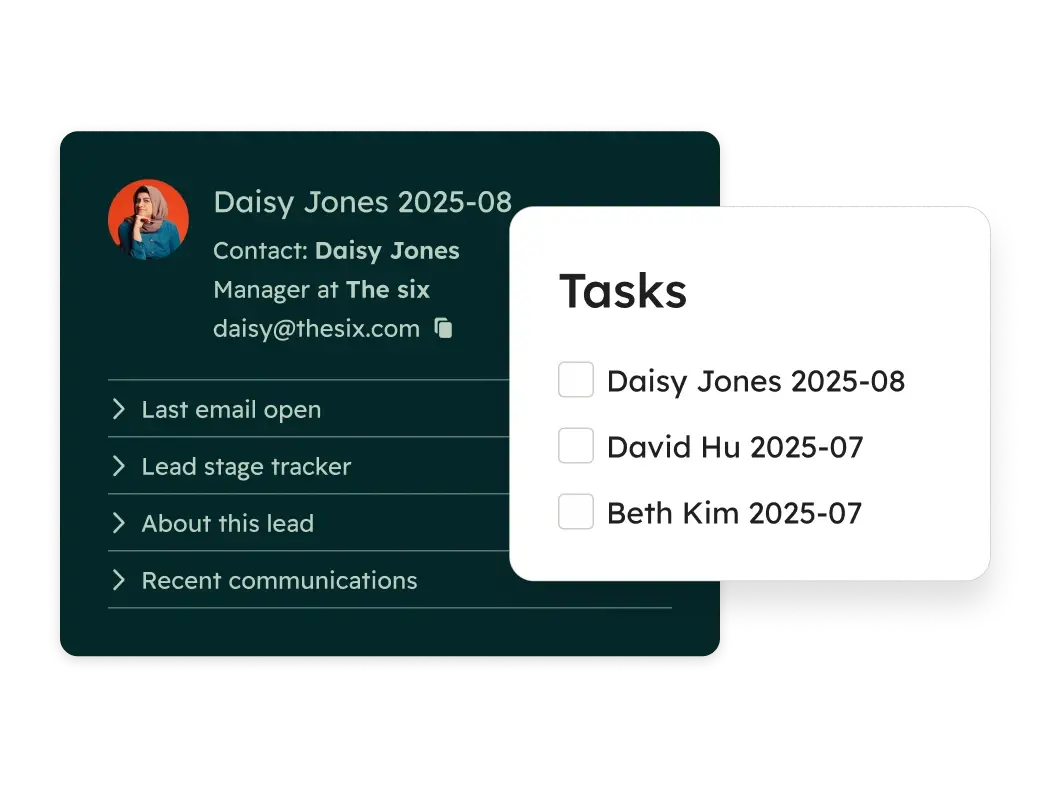
A centralized workspace where reps see their leads, deals, tasks, and recommended actions - all in one view. No more jumping between tabs or wondering what to do next. AI surfaces the most important priorities.
- Unified view of leads, deals, and tasks
- AI-powered daily action recommendations
- Smart task queues
- Activity feed and notifications
- Customizable workspace layout
Email Templates & Tracking
Turn your best-performing emails into templates your whole team can use. Track opens and clicks in real time so you know exactly when a prospect is engaged — and can follow up at the right moment.
- Save and share email templates across your team
- Real-time notifications when emails are opened or clicked
- Performance analytics to see which templates work best
- Personalization tokens that pull from CRM data
- Schedule emails for optimal send times
Sequences
Create automated outreach sequences that combine emails, calls, and tasks. When a prospect replies or books a meeting, they're automatically removed from the sequence. Your reps stay persistent without being annoying.
- Multi-step sequences with emails, calls, and LinkedIn tasks
- Automatic unenrollment when prospects engage
- A/B testing to optimize messaging
- Performance reporting by sequence
- Shared sequence library for the team
Meeting Scheduler
Share a link that lets prospects see your availability and book time directly on your calendar. No more "what time works for you?" emails. Meetings are automatically logged to the CRM with all the context.
- Personal and team meeting links
- Round-robin scheduling for lead distribution
- Calendar integration (Google, Outlook, Office 365)
- Automatic CRM logging with meeting details
- Customizable booking pages with your branding
Calling & Call Tracking
Place calls from your browser, record them automatically, and have them logged to the contact record. AI transcription means you can search call content and coach reps on real conversations.
- Click-to-call from any contact record
- Call recording and automatic logging
- AI transcription and call summaries
- Voicemail drop for faster outreach
- Call outcome tracking and reporting
Breeze Prospecting Agent
Breeze Prospecting Agent researches companies and contacts, identifies the best leads to pursue, and even drafts personalized outreach. Your reps get a head start on every conversation.
- Automated prospect research from web and CRM data
- Lead prioritization based on fit and intent signals
- AI-generated outreach suggestions
- Company and contact enrichment
- Integration with your existing prospecting workflow
Deal Pipelines
Create pipelines that match how you actually sell. Drag deals between stages, set required fields to ensure data quality, and see your whole pipeline at a glance. Multiple pipelines for different products, regions, or sales motions.
- Visual pipeline with drag-and-drop deals
- Customizable stages for your sales process
- Required fields to enforce data quality
- Multiple pipelines for different sales motions
- Deal amount and close date tracking
Lead Scoring
Score leads based on fit (company size, industry, job title) and engagement (email opens, page visits, form submissions). Surface the leads most likely to convert so reps focus on the right opportunities.
- Fit scoring based on demographic data
- Engagement scoring based on behavior
- Custom scoring criteria for your business
- Automatic lead routing based on score
Forecasting
Build forecasts based on pipeline data, deal stage, and historical close rates. AI-powered forecasting learns from your data to predict what's actually going to close - so you can plan headcount, resources, and targets accordingly.
- Pipeline-based forecasting by rep, team, or territory
- AI-powered close probability predictions
- Historical accuracy tracking
- Forecast categories (commit, best case, pipeline)
- Quota tracking and attainment reporting
Deal Scoring & Health
AI analyzes deal activity, engagement patterns, and historical data to flag deals that are stalling or at risk. Managers see which deals need attention. Reps get guidance on what to do next.
- AI-powered deal health scoring
- Risk indicators based on activity and engagement
- Guided actions for at-risk deals
- Deal velocity tracking
- Stage-by-stage conversion analysis
Documents & Tracking
Build a library of proposals, case studies, and presentations. Share documents with a trackable link and see exactly which pages prospects view, how long they spend, and when they're most engaged.
- Centralized document library for the team
- Trackable document links
- Page-by-page engagement analytics
- Notifications when documents are viewed
- Integration with deals and contacts
Playbooks
Create interactive playbooks for common scenarios - discovery calls, objection handling, competitor positioning. Playbooks surface automatically based on deal stage or contact properties, so reps always know what to say.
- Interactive playbooks with scripts and questions
- Automatic playbook suggestions based on context
- Note-taking that syncs to CRM records
- Playbook performance analytics
- Shared playbook library across the team
Quotes & CPQ
Create quotes directly from deal records, pulling in products, pricing, and customer details automatically. E-signature support means prospects can sign without printing or scanning. Track quote status and get notified when they're viewed or signed.
- Quote generation from deal records
- Product library with pricing
- Customizable quote templates
- E-signature with legal binding
- Quote tracking and notifications
- Payment collection integration
Product Library
Create a centralized product catalog with descriptions, pricing, and terms. Reps pull from the same library when building quotes, ensuring consistency and accurate pricing across the team.
- Centralized product catalog
- SKUs, pricing, and descriptions
- Multiple price books for different segments
- Product-level reporting
- Integration with quotes and deals
Sales Analytics & Reporting
Build dashboards that show the metrics that matter - pipeline created, deals closed, activity by rep, conversion by stage. Pre-built reports get you started. Custom reports let you answer any question.
- Pre-built sales analytics reports
- Custom report builder
- Rep and team performance dashboards
- Pipeline and forecast reporting
- Activity tracking and productivity metrics
Conversation Intelligence
AI analyzes recorded calls to identify talk patterns, objections, competitor mentions, and coaching opportunities. Build playlists of great calls for training. Get insights without listening to hours of recordings.
- AI-powered call analysis
- Talk ratio and patience metrics
- Topic and keyword tracking
- Coaching playlists of exemplary calls
- Searchable call transcripts
- Competitor and objection tracking
Goals & Quotas
Define goals for revenue, activities, or custom metrics at the rep, team, or company level. Track progress in real time and see who's on pace and who needs support.
- Revenue and activity goals
- Rep, team, and company-level targets
- Real-time progress tracking
- Integration with forecasting
Sales Workspace
A centralized workspace where reps see their leads, deals, tasks, and recommended actions - all in one view. No more jumping between tabs or wondering what to do next. AI surfaces the most important priorities.
- Unified view of leads, deals, and tasks
- AI-powered daily action recommendations
- Smart task queues
- Activity feed and notifications
- Customizable workspace layout
AI that makes every rep more effective
Breeze is HubSpot's AI — built into every part of Sales Hub. It handles research, drafts communications, analyzes calls, and recommends next steps. Your reps get an AI assistant that helps them sell smarter, not just faster.
Breeze Prospecting Agent
Research prospects automatically. Breeze analyzes company data, news, and your CRM to identify the best leads and suggest personalized outreach strategies.
AI Email Writer
Draft personalized emails in seconds. Breeze suggests subject lines, body copy, and follow-up messages based on prospect data and what's worked before.
AI Meeting Assistant
Prepare for calls automatically. Breeze summarizes past interactions, surfaces relevant context, and suggests talking points. After the meeting, it generates notes and follow-up tasks.
Conversation Intelligence
Understand what's happening in calls without listening to every recording. Breeze transcribes, analyzes, and surfaces key moments - objections, competitor mentions, next steps.
Guided Actions
Know what to do next. Breeze analyzes your deals and activities to recommend the most impactful actions - which deals need attention, which prospects to call, what follow-ups are overdue.
Sales that's connected to marketing and service
Sales Hub is powerful on its own. But when sales, marketing, and service share the same customer data, everything works better. No more wondering what marketing sent. No more handoff confusion with service. One customer record, one truth.
Sales + Marketing
Know which leads are ready to buy.
See every marketing touchpoint on the contact record - emails opened, pages visited, content downloaded, ads clicked. Marketing sees which leads convert to opportunities and which campaigns drive pipeline. The handoff from marketing to sales is seamless because everyone sees the same data.
When a lead downloads a pricing guide or visits the product page three times, sales knows it's time to reach out.
Sales + Service
Keep the customer relationship intact.
When a prospect becomes a customer, service sees the full sales history - what was promised, what pain points were discussed, what the timeline looked like. When service identifies an upsell opportunity or a churn risk, sales gets alerted.
No more "let me transfer you" moments. No more customers repeating themselves.
Sales + Smart CRM
Every activity tied to a unified record.
Every call, email, meeting, and deal is connected to a single customer record. Segment based on any data - industry, deal stage, engagement level, custom properties. Build reports that combine sales activity with marketing engagement and service interactions.
Your CRM gets smarter with every interaction.
Understanding HubSpot Pricing
The Structure
HubSpot uses a tiered pricing model. Each Hub has multiple levels:
- Free Tools — Limited features, free forever
- Starter — Core features for small teams
- Professional — Full automation and advanced features
- Enterprise — Advanced permissions, customization, and scale
The right tier depends on your company size, complexity, and what features you need.
Free Tools
What you get:
- Basic CRM and limited features of each Hub
Best for:
Very small teams testing HubSpot, or companies with minimal needs
Investment / Limitations:
Limited contacts, limited features, no automation, HubSpot branding on forms and emails
Key Insight: HubSpot's free CRM is genuinely useful—not just a trial. Many companies use it for years before upgrading.
Starter
What you get:
- Core features, removes HubSpot branding, basic automation
Best for:
Small businesses getting started with structured marketing and sales
Investment / Limitations:
Starting at $20/month per seat for most Hubs
Key Insight: Starter is a significant upgrade from Free, but lacks the automation and advanced features that growing companies usually need.
Professional
What you get:
- Full automation, advanced features, custom reporting, integrations
Best for:
Growing companies ready to scale their operations
Investment / Limitations:
Marketing Hub Professional starts at $890/month, Sales Hub Professional at $100/month per seat
Key Insight: Professional is where most B2B companies see real ROI. This tier unlocks workflows, sequences, custom reports, and the features that actually transform how you work.
Enterprise
What you get:
- Advanced permissions, custom objects, hierarchical teams, advanced analytics, sandboxes
Best for:
Larger organizations with complex needs
Investment / Limitations:
Marketing Hub Enterprise starts at $3,600/month, Sales Hub Enterprise at $150/month per seat
Key Insight: Enterprise isn't just "more of Professional"—it unlocks features that only make sense for larger, more complex organizations.
Key Pricing Concepts
Seat-Based Pricing
Sales Hub, Service Hub, and Commerce Hub charge per seat at Professional and Enterprise tiers. Each person who needs full functionality needs their own paid seat.
However, you can have unlimited free "View-Only Seats" for people who just need to see data without editing.
Contact-Based Pricing (Marketing Hub)
Marketing Hub pricing scales with your database size—specifically, the number of "marketing contacts" you're actively emailing or targeting with ads. Non-marketing contacts are free.
This means you can store your entire customer database without paying extra, as long as you're not marketing to all of them.
Bundles
HubSpot offers bundles that combine multiple Hubs at a discount. The "Customer Platform" bundle includes all Hubs together.
Onboarding Requirements
Some tiers require paid onboarding from HubSpot or a certified partner. This isn't optional—it's built into the purchase.
The Real Cost Consideration
License cost is only part of the investment. Implementation, training, and ongoing optimization matter just as much for success.
Companies that buy HubSpot and "figure it out themselves" often end up with underutilized portals and poor ROI. Companies that invest in proper setup—whether through HubSpot's onboarding or a certified partner—typically see results much faster.
We don't just set up Sales Hub. We make it drive revenue.
Sales tools only work when your team actually uses them. Too many companies buy Sales Hub and end up with expensive shelfware - sequences nobody runs, pipelines nobody trusts, reports nobody reads.
We're here to make sure that doesn't happen.
HubSpot Platinum Partner
We've implemented Sales Hub for dozens of B2B sales teams. We know which features matter for your sales motion, how to configure pipelines that reflect reality, and how to get reps to actually adopt the tools.
Sales Process First
Before we touch the software, we understand how you sell. What's your sales cycle? How do deals move through stages? Where do deals get stuck? Technology should support your process - not force you into a generic template.
Adoption and Training
The best CRM is the one your team uses. We don't just configure Sales Hub - we train your reps, build the workflows that make their lives easier, and ensure the system becomes part of how they work, not another thing to update.
We know salespeople are skeptical of new tools. They've seen too many systems that create work instead of eliminating it. We build Sales Hub implementations that reps actually want to use - because it makes their job easier, not harder.
What marketing teams say after implementing with Buldok
"We had Mailchimp for email, Hootsuite for social, and Google Ads running separately. Six months after implementing Marketing Hub with Buldok, we can finally see which campaigns actually drive pipeline — not just clicks and opens."
"The implementation was faster than we expected — we were running automated nurture campaigns within 4 weeks. But what really made the difference was having a partner who understood our B2B sales process."
Frequently Asked Questions About HubSpot
Sales Hub was built from the ground up as a unified platform - not assembled through acquisitions. It's easier to use, faster to implement, and less expensive to maintain. Most teams are fully operational in weeks, not months. The interface is intuitive enough that reps actually use it, which means better data and better forecasting.
For complex enterprise needs, Salesforce may still be the right choice. But for most B2B sales teams, Sales Hub delivers more value with less friction.
Sales Hub works great on its own. But the real power comes when sales and marketing share the same data.
With just Sales Hub, your reps get a complete sales platform. Add Marketing Hub, and they also see every marketing touchpoint - which emails the prospect opened, which pages they visited, which content they downloaded. That context helps reps have better conversations.
Sales Hub pricing is straightforward - per seat, no surprises. Unlike some competitors, there's no contact-based pricing that balloons as your database grows. A team of 10 on Professional costs $1,000/month. You know what you'll pay.
When you factor in the cost of separate tools for email tracking, sequences, calling, and document management, Sales Hub often comes out ahead - and everything is integrated.
Basic setup (pipelines, templates, integrations) takes 2-3 weeks. Full implementation with sequences, automation, reporting, and training typically takes 4-6 weeks. Complex migrations from Salesforce or other CRMs may take 2-3 months.
We work with clear timelines and milestones. Your team will be productive before the full implementation is complete.
Yes. We handle CRM migrations regularly. We'll export your contacts, companies, deals, and activity history. We'll clean up data issues, map fields correctly, and rebuild your automation.
Historical data comes over so you don't lose context. Your team transitions to a better system without starting from scratch.
This is the right question. The best CRM is the one your team uses.
We focus heavily on adoption. That means building workflows that make reps' lives easier, not harder. Training that's relevant to their actual workflow. Quick wins that show value in the first week. And ongoing support to address friction points.
Sales Hub is also genuinely easier to use than most alternatives - which helps.
Sales Hub includes built-in calling - reps can make calls directly from their browser, record conversations, and have everything logged automatically. For teams with existing phone systems, HubSpot integrates with most VoIP providers and has native integrations with Aircall, RingCentral, and others.
Call transcription and conversation intelligence (in Professional and Enterprise) means you can search call content and coach based on real conversations.
Yes - it's built for B2B. The deal pipeline, account-based selling tools, sequences, and long-cycle forecasting are all designed for B2B sales motions.
Most of our clients sell to other businesses with sales cycles ranging from a few weeks to several months. Sales Hub handles that complexity well.
Ready to help your team close more deals?
The best sales software is the one your team actually uses - and the one that helps them spend more time selling. Let's talk about how Sales Hub can work for your sales organization.