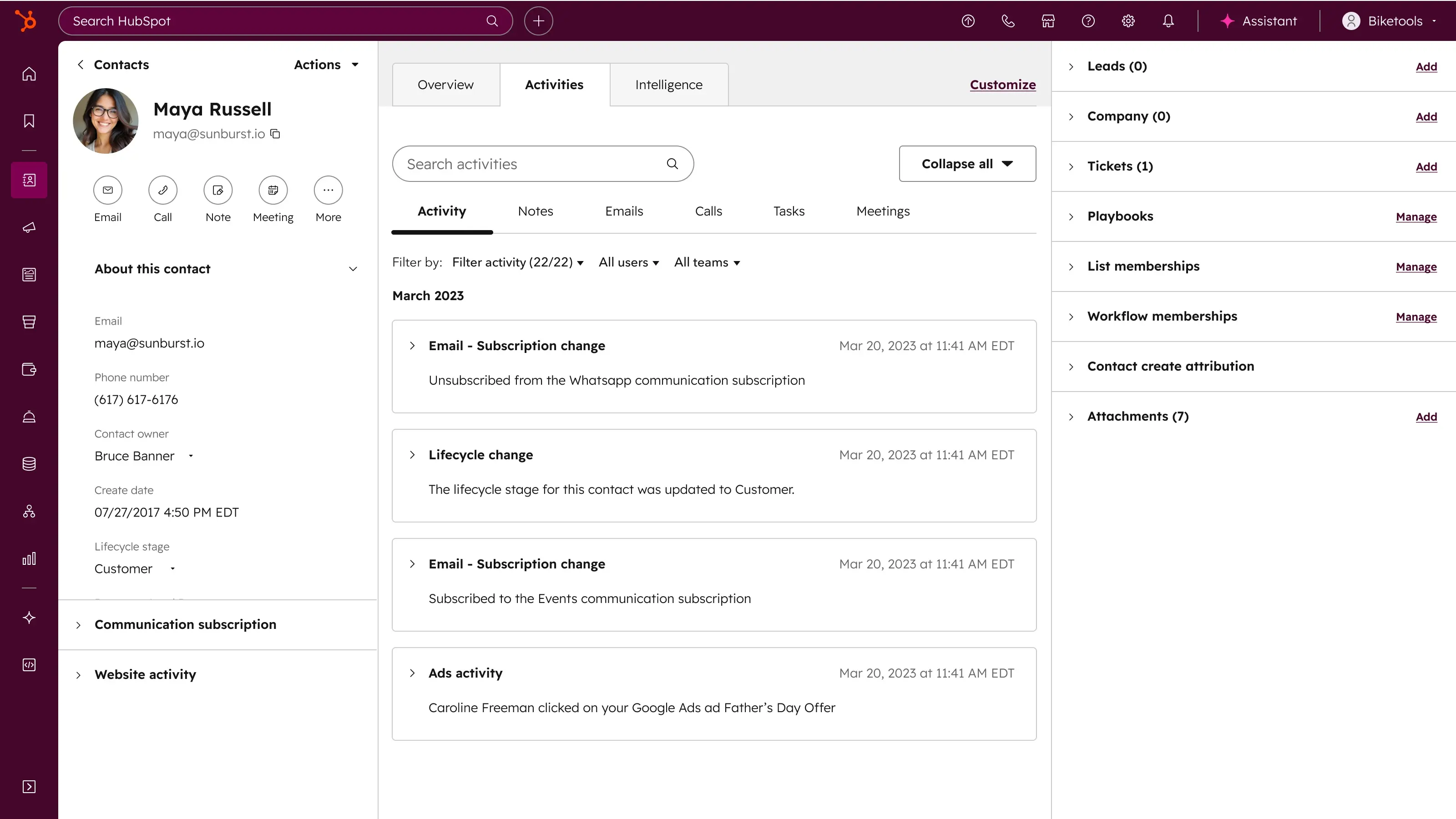
Considering HubSpot but not sure how to approach the decision or what to watch for? This isn’t a guide to picking a CRM. It’s a quick, honest rundown of what to clarify before you buy anything.
HubSpot Partner since 2018
The same pattern of mistakes repeats across the partner community. They aren’t exceptions, they’re predictable situations you can avoid by resolving them before HubSpot goes live.
Without a concrete business goal, shortening the sales cycle or improving lead conversion, for example, HubSpot easily becomes just another tool the team opens but never really uses.
Duplicate contacts, invalid emails, and stale deals move into the new system exactly as they were in the old one. The company ends up trusting neither the reports nor the automation, because both are built on data nobody trusts in the first place.
Unclear deal stages, missing role-based permissions, over-automation without real need. The system gets built around what the tool can do, not around how the company actually works.
A partner experienced in marketing-automation rollouts isn’t necessarily the right fit for a service-team integration or an ERP connection. Experience varies a lot by project type.
Without a clearly explained “why,” across leadership and individual users, implementations don’t usually fail on the technology. They fail because the team never starts using it.
These mistakes aren’t really about HubSpot itself. They’re about choosing a tool without a clear goal, data, processes, and an owner. If you’re still figuring out what HubSpot actually is, it’s worth starting there before you tackle individual Hubs.
A company decides on HubSpot because it wants “one platform for the entire go-to-market,” but nobody clarifies up front which team owns which data, or who’s responsible for the single source of truth.
Marketing launches campaigns in Marketing Hub, sales stays “for now” in its old CRM, and service waits its turn. Three months later there are three different views of the same customer, and nobody knows which one is right.
Leadership asks why HubSpot isn’t delivering the results the vendor’s pitch promised. The answer is simple: nobody clarified up front how the platform should serve the whole company, not just one team.

None of this is inevitable. Answering a few questions up front reliably prevents this scenario.
Not every decision around buying HubSpot carries the same weight. Configuring ready-made tools using an established process is one discipline. Deciding on data architecture, integrations, and the source of truth, decisions with consequences for years, is another. If you’ve already decided and just need to configure ready-made tools, that’s HubSpot onboarding. If you’re moving off an existing system, you’re probably looking for a HubSpot migration. And if you’re not sure HubSpot is even the right platform, see the comparison with alternatives.
Configuring a ready-made tool can be adjusted anytime. Architectural decisions about data and integrations are expensive to change later.
Without a concrete, measurable goal, it’s hard to tell whether the purchase made sense. Goal first, tool second.
Smart CRM sits underneath every Hub. The question that matters is whether it should become the primary source of truth for your contacts, deals, or tickets, or stay a technical substrate under a single Hub.
Core seat, Sales or Service seat, view-only. The difference between them is the foundation of what you’ll actually pay for HubSpot, and what each person on your team actually unlocks.
Connecting to an existing CRM, ERP, or website changes the scope of the project completely, compared with just setting up a single Hub. Clarifying this in advance saves time and money.
Example: you want marketing, sales, and service working on one system from day one. Every team shares one Smart CRM, one data set, one customer history. The question isn’t what to connect and how, it’s what order to roll the platform out in.
You lose the seams between systems: leads, deals, and tickets share one history, automation runs across teams, and reporting sees the full customer journey. Rollout is one project on one timeline, not a series of separate implementations, and the team learns one platform. Whole doesn’t mean everything at once, though: license tiers can be combined and rollout phased around what you need first.
Example: you start with Marketing Hub while sales stays in its existing CRM. Smart CRM is still the foundation under Marketing Hub here too, the question is how tightly it needs to connect to what sales uses.
Either you leave your existing CRM as the technical foundation and sync data from it into HubSpot, or you use two-way sync. How well HubSpot can connect both sides varies by the specific CRM on the other end. Confirm it before you buy.
Example: you’re handling tickets and customer satisfaction, but marketing and sales aren’t touching HubSpot yet. Smart CRM is automatically part of it here too, the question is whether it should become the primary source of truth for customer data.
If contacts and companies stay primarily in your revenue system, Service Hub can work with them via sync. But a service team without visibility into sales history can’t see how valuable a customer is to the company, which is worth resolving before rollout.
Example: the sales team wants a modern CRM for running deals, while invoicing, inventory, and manufacturing stay in ERP. The question isn’t whether the two systems connect, it’s how deep, and exactly where the line falls.
A simple one-way handoff of data from Sales Hub to ERP is usually straightforward. A full two-way connection, where order status from ERP reflects back into the deal, is typically extra work and needs its own integration project.
Example: you need a new website or blog and like that Content Hub runs on the same platform as the rest of HubSpot. Marketing and sales aren’t part of the picture yet.
Content Hub works fine on its own, no other Hub required. But if the company expects to add marketing automation or a CRM in HubSpot down the line, it’s worth accounting for that now in how forms and pages get built.
Example: you want marketing, sales, and service working on one system from day one. Every team shares one Smart CRM, one data set, one customer history. The question isn’t what to connect and how, it’s what order to roll the platform out in.
You lose the seams between systems: leads, deals, and tickets share one history, automation runs across teams, and reporting sees the full customer journey. Rollout is one project on one timeline, not a series of separate implementations, and the team learns one platform. Whole doesn’t mean everything at once, though: license tiers can be combined and rollout phased around what you need first.
Example: you start with Marketing Hub while sales stays in its existing CRM. Smart CRM is still the foundation under Marketing Hub here too, the question is how tightly it needs to connect to what sales uses.
Either you leave your existing CRM as the technical foundation and sync data from it into HubSpot, or you use two-way sync. How well HubSpot can connect both sides varies by the specific CRM on the other end. Confirm it before you buy.
Example: you’re handling tickets and customer satisfaction, but marketing and sales aren’t touching HubSpot yet. Smart CRM is automatically part of it here too, the question is whether it should become the primary source of truth for customer data.
If contacts and companies stay primarily in your revenue system, Service Hub can work with them via sync. But a service team without visibility into sales history can’t see how valuable a customer is to the company, which is worth resolving before rollout.
Example: the sales team wants a modern CRM for running deals, while invoicing, inventory, and manufacturing stay in ERP. The question isn’t whether the two systems connect, it’s how deep, and exactly where the line falls.
A simple one-way handoff of data from Sales Hub to ERP is usually straightforward. A full two-way connection, where order status from ERP reflects back into the deal, is typically extra work and needs its own integration project.
Example: you need a new website or blog and like that Content Hub runs on the same platform as the rest of HubSpot. Marketing and sales aren’t part of the picture yet.
Content Hub works fine on its own, no other Hub required. But if the company expects to add marketing automation or a CRM in HubSpot down the line, it’s worth accounting for that now in how forms and pages get built.
you have a specific, measurable goal HubSpot is meant to help you reach
you know which team and which data should stay outside HubSpot, and why
you understand what kind of connection to your existing system you’ll need
you have someone on the team who will actually manage the platform
you have a happy, deeply integrated existing system with no specific pain HubSpot would solve
you’re an extremely small team with no marketing or sales ambitions, where HubSpot would sit half-empty
you need capabilities only an enterprise-grade tool with deep customization for a regulated industry can offer
How many core seats do you actually need, and how many people will just be viewing?
Do you have defined processes and stages for HubSpot to fit into, or do they still need to be designed?
Where should the source of truth flow for your key data: contacts, deals, tickets?
Who on the team will actually manage the new platform after rollout?
No. HubSpot is a modular platform, so you can start with one Hub and add others later without changing the foundation. Smart CRM technically sits under every Hub, but you don’t have to use it as your primary source of truth right away. You can let contacts live primarily in your existing system and connect them to HubSpot via sync. Whether that path makes sense, or it’s better to let Smart CRM take over as the primary system, depends on your specific scenario.
A seat is an access unit for one user. A core seat gives basic access, a Sales or Service seat unlocks deeper, role-specific functionality and only applies at the Professional or Enterprise tier of that Hub. A view-only seat is free and unlimited, and works well for people who just need to check reports. Many companies buy core seats for people who’d be fine with view-only.
No. Hubs can be bought as a whole or added gradually as the company grows. Marketing Hub, Service Hub, and Sales Hub can all run alongside an existing system too, your current CRM or ERP, for example. The key question isn’t whether that’s possible, it’s where the source of truth should flow for your key data.
Quick configuration means setting up ready-made tools using an established process, usually days to weeks. Once you’re dealing with data architecture across systems, integrations with other tools, or decisions with consequences for years to come, that moves into Solution Design, a separate analysis phase ahead of the implementation itself.
Not always. If a manual data export between systems or a simple one-way sync is enough for now, you can start without an integration project and address it once a specific need appears. But if you know you’ll need a two-way connection from day one, it’s worth planning for it in advance.
Take a free look at what HubSpot looks like on the inside, or go straight to discussing your specific scenario with us. We’ll tell you honestly whether, and how, HubSpot fits what you already have.