HubSpot Data Hub

Data management software that makes your data actually useful

HubSpot Data Hub connects your scattered data, cleans it automatically, and turns it into intelligence your entire team can use. No data engineers required. No spreadsheet gymnastics. Just unified, reliable data that powers better marketing, sales, and service.

data-hub-hero
The Data Reality

Your data is everywhere. And nowhere useful.

If you're running or working in a growing B2B company, you've probably experienced some version of this reality:

Your tech stack is a mess of disconnected tools

Marketing data in one system. Sales data in another. Customer service in a third. Product usage somewhere else. Every team has their own tools, their own spreadsheets, their own version of the truth. Getting a complete view of anything requires manual exports, VLOOKUP nightmares, and hours of reconciliation.

Nobody trusts the data because nobody knows which data to trust.

Your CRM is full of garbage

Duplicate records. Inconsistent formatting. Missing fields. Outdated information. Every team blames the other for the mess. Marketing says sales doesn't update records. Sales says the data was bad when it came in. Meanwhile, reports are wrong, segments are unreliable, and automation breaks because the data it depends on is broken.

Bad data in, bad decisions out.

Your AI initiatives are stuck

You invested in AI tools. They promised insights and automation. But AI is only as good as the data it has access to. When your data is scattered, inconsistent, and incomplete, AI can't help you. Your Breeze agents answer wrong. Your predictions miss. Your personalization feels generic.

AI amplifies your data quality - for better or worse.

The Underlying Problem

These aren't separate problems - they're symptoms of the same root cause: data scattered across tools that don't sync and quality that degrades the moment information enters your systems.

Most growing companies try to solve these symptoms one at a time. An integration here. A manual cleanup project there. A weekly export to reconcile the spreadsheet with the CRM. Each fix solves its immediate problem but creates a new one: now you have data in ten systems, three different "sources of truth," and nobody trusts any report without first checking if the numbers match.

The more tools you add, the worse the data problem becomes - and the less you can trust any decision that depends on it.

A Scenario You Might Recognize

The CEO asks a simple question: "How many active customers do we have?" Marketing checks their system - 2,400. Sales checks the CRM - 2,150. Finance checks the billing system -- 1,890.

Three hours and a heated meeting later, everyone agrees the discrepancy comes from duplicate records, outdated statuses, and different definitions of "active." But nobody has time to fix it properly, so they pick the middle number and move on.

Next quarter, the same question comes up. Different numbers. Same argument.

Meanwhile, the AI tools you bought promise insights and automation - but they're working with garbage data. The recommendations are wrong. The personalization feels random. The automation sends emails to people who churned six months ago.

It's not an AI problem. It's a data problem. And it's getting worse, not better.

Your teams don't need more data tools. They need one platform that connects everything, cleans it automatically, and makes data work for them instead of against them.

The Solution

HubSpot Data Hub: Clean, connected data without the complexity

Data Hub isn't a data warehouse that requires engineers. It's data management for business teams - connecting your apps, cleaning your data automatically, and turning scattered information into unified intelligence. Built into HubSpot, accessible to everyone.

Connect everything. Clean automatically. Activate everywhere.

What makes Data Hub different

No-Code Data Integration

Connect 100+ apps and sync data bidirectionally - without writing code or hiring engineers. Data flows automatically between your tools and your CRM. What happens in one system shows up everywhere it's needed.

AI-Powered Data Quality

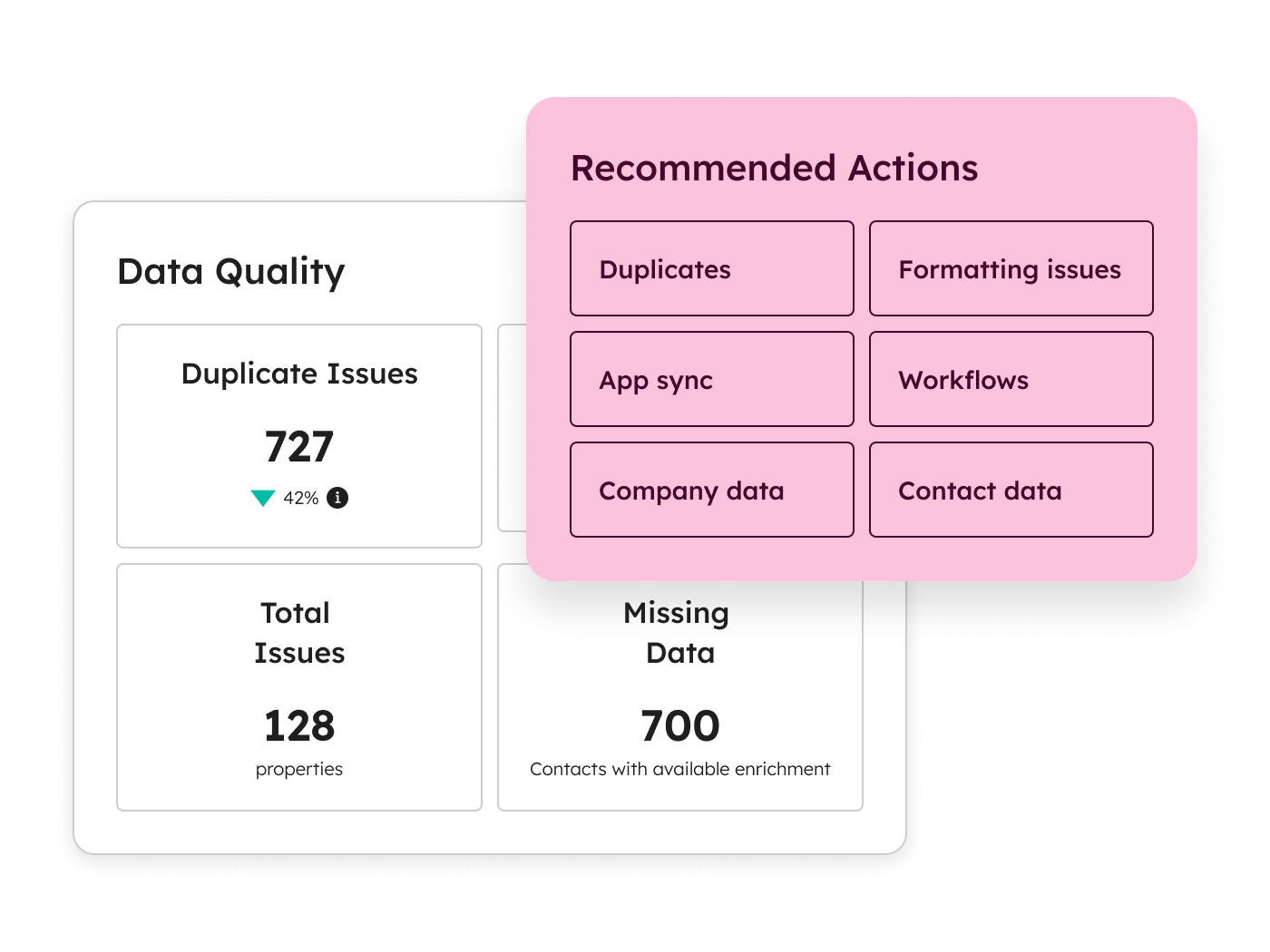
Stop manually fixing formatting issues and hunting for duplicates. AI identifies problems, suggests fixes, and automates cleanup. Your data gets better over time instead of degrading.

Built for Business Teams

Data Hub is designed for marketers, salespeople, and ops teams - not data engineers. Build datasets, create reports, and automate processes without SQL or technical expertise.

Powers Your Entire Platform

Clean, unified data doesn't just sit in a warehouse. It powers Breeze AI, Marketing Hub campaigns, Sales Hub insights, and Service Hub personalization. Better data means better everything.

Core Capabilities

What Data Hub does (and why it matters)

Connect your entire tech stack

Bring data together from every tool your team uses - without manual exports, broken integrations, or waiting for IT.

Data Sync

Keep data consistent across all your apps automatically.

Two-way sync between HubSpot and 100+ popular business apps. When something changes in one place, it updates everywhere. Custom field mappings ensure the right data goes to the right place. Historical sync brings over past data so you start with a complete picture.

  • 100+ native app integrations
  • Bidirectional real-time sync
  • Custom field mapping
  • Historical data sync
  • Sync health monitoring
Powered by Breeze AI

AI that depends on good data - and helps you get it

Breeze is HubSpot's AI - but AI is only as powerful as the data behind it. Data Hub ensures Breeze has clean, complete, unified data to work with. And Breeze helps you manage that data more effectively. It's a virtuous cycle.

Breeze Data Agent

Ask questions about your customers in natural language. Breeze analyzes your CRM, calls, emails, and documents to give you instant insights - no reports required.

AI Duplicate Detection

Breeze identifies duplicate records even when names are spelled differently, companies have merged, or data is incomplete. Better matching than rule-based systems alone.

AI Data Recommendations

Get proactive suggestions for improving data quality. Breeze analyzes patterns and recommends specific fixes - standardize this field, merge these records, fill in these gaps.

AI-Powered Formatting

Breeze recognizes formatting patterns and suggests standardization rules. Phone numbers, addresses, company names - cleaned automatically based on AI-learned patterns.

Better Breeze Everywhere

When your data is clean and unified, every Breeze agent works better. Prospecting Agent finds better leads. Content Agent writes more relevant copy. Customer Agent gives more accurate answers.

Better Together

Good data makes every Hub work better

Data Hub isn't a standalone tool. It's the foundation that makes Marketing Hub, Sales Hub, Service Hub, and Content Hub more powerful. When your data is unified and clean, every team gets better results.

Data + Marketing

Better targeting, better campaigns.

Marketing Hub campaigns are only as good as the segments they target. When Data Hub unifies your customer data, you can build segments based on complete customer profiles - not just what marketing knows. Personalization works because you have the full picture.

No more campaigns sent to the wrong people. No more "Dear [First Name]" failures.

Data + Sales

See the complete customer story.

Sales reps waste hours piecing together customer information from multiple systems. With Data Hub syncing everything to HubSpot, reps see product usage, support history, marketing engagement, and sales activity in one view. They know what matters before the call.

Better data means better conversations and faster deals.

Data + Service

Personalize support with full context.

Support agents shouldn't ask customers to repeat information that exists in your systems. Data Hub ensures service reps see the complete customer record - purchases, interactions, account health. They can help faster and identify upsell opportunities.

Every support interaction becomes an opportunity to strengthen the relationship.

PRICING

Understanding HubSpot Pricing

The Structure

HubSpot uses a tiered pricing model. Each Hub has multiple levels:

  • Free Tools — Limited features, free forever
  • Starter — Core features for small teams
  • Professional — Full automation and advanced features
  • Enterprise — Advanced permissions, customization, and scale

The right tier depends on your company size, complexity, and what features you need.

Free Tools

What you get:

  • Basic CRM and limited features of each Hub

Best for:

Very small teams testing HubSpot, or companies with minimal needs

Investment / Limitations:

Limited contacts, limited features, no automation, HubSpot branding on forms and emails

Key Insight: HubSpot's free CRM is genuinely useful—not just a trial. Many companies use it for years before upgrading.

Starter

What you get:

  • Core features, removes HubSpot branding, basic automation

Best for:

Small businesses getting started with structured marketing and sales

Investment / Limitations:

Starting at $20/month per seat for most Hubs

Key Insight: Starter is a significant upgrade from Free, but lacks the automation and advanced features that growing companies usually need.

Enterprise

What you get:

  • Advanced permissions, custom objects, hierarchical teams, advanced analytics, sandboxes

Best for:

Larger organizations with complex needs

Investment / Limitations:

Marketing Hub Enterprise starts at $3,600/month, Sales Hub Enterprise at $150/month per seat

Key Insight: Enterprise isn't just "more of Professional"—it unlocks features that only make sense for larger, more complex organizations.

Key Pricing Concepts

Seat-Based Pricing

Sales Hub, Service Hub, and Commerce Hub charge per seat at Professional and Enterprise tiers. Each person who needs full functionality needs their own paid seat.

However, you can have unlimited free "View-Only Seats" for people who just need to see data without editing.

Contact-Based Pricing (Marketing Hub)

Marketing Hub pricing scales with your database size—specifically, the number of "marketing contacts" you're actively emailing or targeting with ads. Non-marketing contacts are free.

This means you can store your entire customer database without paying extra, as long as you're not marketing to all of them.

Bundles

HubSpot offers bundles that combine multiple Hubs at a discount. The "Customer Platform" bundle includes all Hubs together.

Onboarding Requirements

Some tiers require paid onboarding from HubSpot or a certified partner. This isn't optional—it's built into the purchase.

The Real Cost Consideration

License cost is only part of the investment. Implementation, training, and ongoing optimization matter just as much for success.

Companies that buy HubSpot and "figure it out themselves" often end up with underutilized portals and poor ROI. Companies that invest in proper setup—whether through HubSpot's onboarding or a certified partner—typically see results much faster.

Your Implementation Partner

We don't just connect your data. We make it drive results.

Data management projects fail when they're treated as technical exercises instead of business initiatives. Too many companies connect their apps and think they're done - then wonder why data quality doesn't improve, reports still conflict, and teams still don't trust the numbers.

We're here to make sure that doesn't happen.

HubSpot Platinum Partner

We've implemented Data Hub for B2B companies who need unified data to drive growth. We know how to design data architectures that actually work, build integrations that stay reliable, and create data quality processes that improve over time.

Business Outcomes First

Before we connect anything, we understand what you're trying to achieve. What decisions need better data? What processes break because of data quality? What would change if everyone trusted the numbers? Technology serves strategy - not the other way around.

Sustainable Data Quality

The goal isn't to clean your data once. It's to build systems that keep data clean automatically. We implement automation rules, establish data governance processes, and train your team to maintain quality. Your data gets better over time instead of degrading.

We know data projects can feel overwhelming - especially when you're not a data engineer. We make Data Hub accessible, implement it in phases you can absorb, and focus on quick wins that build momentum. Better data shouldn't require a PhD.

platinum-badge-white
Client Results

What marketing teams say after implementing with Buldok

HubSpot Marketing Hub customers see:
167%
increase in website traffic
3x
more inbound leads
83%
report improved conversion

Frequently Asked Questions About HubSpot

Data Hub and data warehouses serve different purposes. A data warehouse is a technical tool for storing and analyzing large datasets - typically managed by data engineers using SQL.

Data Hub is data management for business teams. It connects apps, cleans data automatically, and makes unified data accessible to marketers, salespeople, and ops teams without technical expertise. If you have a data warehouse, Data Hub can integrate with it. If you don't, Data Hub gives you most of what you need without building data infrastructure.

Data Hub works with any HubSpot subscription, including the free CRM. But the real value comes when you combine it with other Hubs.

Data Hub makes Marketing Hub segments more accurate, Sales Hub insights more complete, and Service Hub personalization more effective. The cleaner and more unified your data, the better every Hub performs.

AI is only as good as the data it has access to. If your data is scattered, duplicated, and incomplete, Breeze agents will give wrong answers and miss opportunities.

Data Hub ensures Breeze has clean, unified data to work with. When your data is trustworthy, Breeze Prospecting Agent finds better leads, Breeze Content Agent writes more relevant copy, and Breeze Customer Agent gives more accurate answers.

Data Hub includes 100+ native integrations with popular business apps - including Salesforce, Microsoft Dynamics, NetSuite, Mailchimp, Stripe, Shopify, and many more. For apps without native connectors, you can use webhooks and the API.

Data warehouse integrations (Snowflake, BigQuery, Databricks) are available in the Enterprise tier.

Basic data sync setup (connecting a few apps) takes 1-2 weeks. Full implementation with data quality automation, custom integrations, and team training typically takes 4-8 weeks.

You'll see value quickly - apps start syncing immediately. More complex data quality improvements build over time as automation catches and fixes issues.

Yes - that's a core use case. Data Hub's duplicate management finds and merges duplicates across your database. Data quality automation standardizes formatting. The Data Agent helps you identify and clean specific problem areas.

But Data Hub doesn't just fix data once. It puts systems in place to keep data clean going forward.

No - Data Hub is specifically designed for business teams who don't have data engineers. The interface is no-code. Data Studio builds datasets visually. Automation creates rules without programming.

If you do have data engineers, Data Hub can integrate with your existing data infrastructure through warehouse integrations and APIs. But you don't need technical expertise to get value.

Data Hub uses AI to identify duplicate records - even when names are spelled differently, companies have variations, or data is incomplete. It's smarter than simple rule-based matching.

You can review potential duplicates and merge them in bulk, or set rules to automatically merge records that meet certain criteria (like exact email matches). All merges are logged for audit purposes.

Ready to turn scattered data into unified intelligence?

The best data management software is the one your team can actually use - and the one that makes your AI, automation, and analytics trustworthy. Let's talk about how Data Hub can clean up your data and power your growth.

30-minute call with a Data Hub specialist
Specific recommendations for your data challenges
Honest assessment — even if HubSpot isn't the right fit